Geometry Word Search
Pick a geometry word list, then find the words on screen or print the puzzle with its answer key.
Recent
Your last 10 settings, saved only in this browser. Nothing is uploaded.
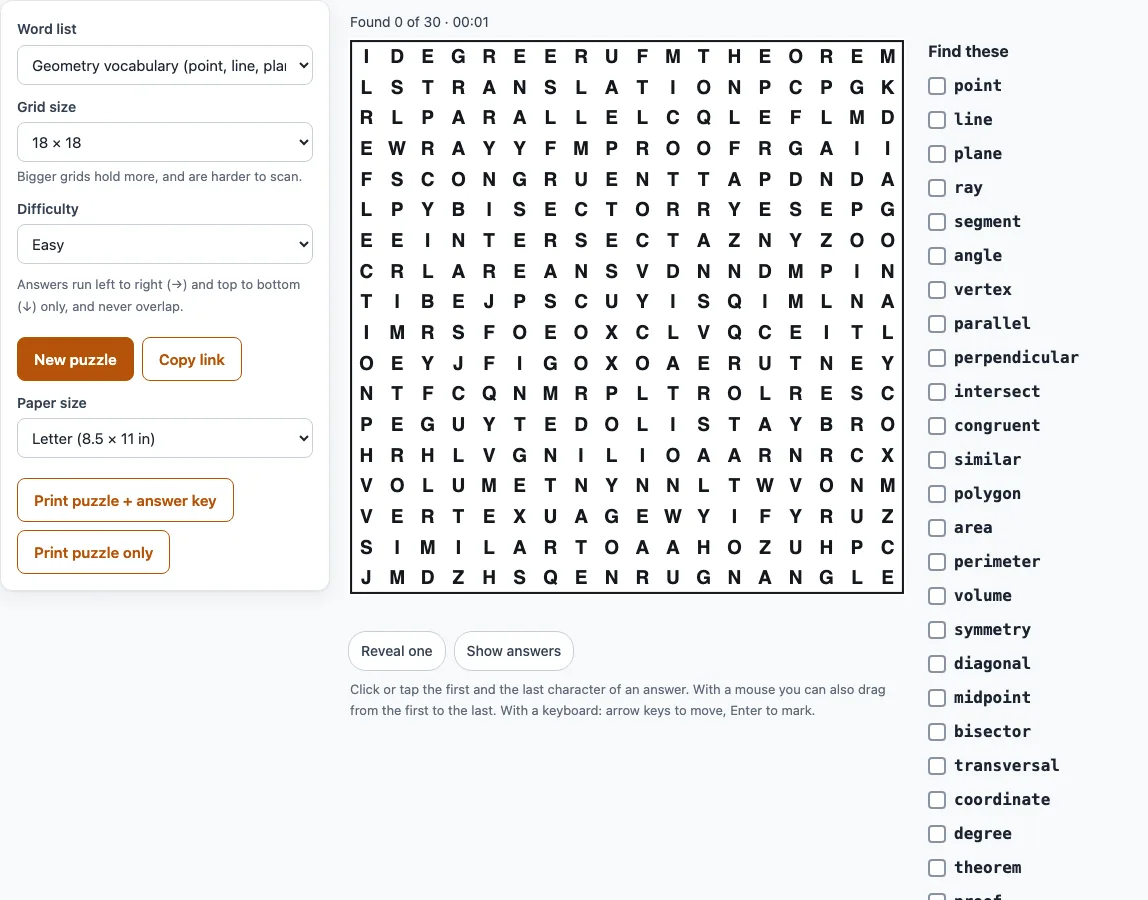
How to make a geometry word search
- Open the Word list menu and choose one of the seven lists, such as Triangles or Area, perimeter and volume.
- Check the Grid size. It is set automatically to fit the list, and the long lists use 18 x 18. You can change it to any size from 8 x 8 to 18 x 18.
- Choose a Difficulty: Easy, Medium or Hard. Easy is the simplest, and Hard allows backwards words.
- Press New puzzle to get a different grid with the same list.
- To play, click or tap the first letter of a word, then the last letter. With a mouse you can also drag across the letters. A found word is circled and crossed off the list.
- Watch the status line, which shows “Found 3 of 30”, and the timer. If you get stuck, press Reveal one or Show answers, and Hide answers to hide them again.
- To print, choose a Paper size of Letter or A4, then press Print puzzle + answer key or Print puzzle only. In the print window, choose Save as PDF if you want a file.
On the keyboard, the arrow keys move between letters, and Enter or Space marks the first and last letter. Copy link copies a link that reopens the same puzzle. The game is saved in your browser, so reloading the same link continues where you left off.
Geometry word search with answers: how the answer key works
The printed answer key is a second page with the words circled in the grid, so you can mark quickly. Every word in the list appears exactly once, in the directions allowed by your difficulty, so the key matches the puzzle without any second copy to confuse you. On Easy, answers run only left to right and top to bottom, and they never overlap. Medium also adds the two diagonals going right, and answers may cross where the letters agree. Hard uses all eight directions, including backwards. If a word does not fit the grid, a notice tells you how many were left out and suggests a bigger grid.
Which geometry words are in the puzzle
The whole list is hidden in every puzzle, and the list name is printed on the page. There are seven lists: Geometry vocabulary (30 words, from point and line to reflection and collinear), 2D shapes (20), 3D shapes (18), Angles and lines (20), Triangles (20), Circles (18), and Area, perimeter and volume (18). Some words appear in more than one list, such as vertex, segment, base, height, area and pi, so choose the list that matches your unit. The word lists cannot be edited on this page, so pick the one closest to what you are studying.
How to find words in a geometry word search
Start by looking for rare letters such as Q, Z, X and K, because they narrow down the possible words quickly. Long words like PERPENDICULAR or CIRCUMFERENCE are easy to spot because they cross many rows. Scan the grid one row at a time, then one column at a time, so you cover every letter. Cross each word off the list as soon as you find it, so you do not search for it twice. On Easy, you only need to look left to right and top to bottom. On Hard, check backwards as well, since a word can run from its last letter to its first.
Frequently asked questions
Can I print a geometry word search?
Yes. Choose Letter or A4 paper, then press Print puzzle + answer key or Print puzzle only. The printed page has the title, the list name, size and level, Name and Date lines, the grid, and a “Find these:” list with a checkbox beside each word. Choose Save as PDF in the print window if you want a file.
Can I use it for a geometry unit review in class?
Yes. It suits a unit review, a warm-up, an early-finisher task, a vocabulary check before a test, homework or a relief teacher’s activity. This page gives you the words only, not their definitions, so pair it with your own notes or glossary.
Is it free and is anything uploaded?
Yes, it is free and needs no sign-up. It runs in your web browser, and nothing is uploaded or sent to a server.
Can I use the printouts in my school or business?
Yes. Printouts are yours to use for personal, school, classroom and business purposes. The only limit is that you may not resell them as a stand-alone product. No credit line is required.
Can I change the words in the list?
No. The seven lists are fixed on this page. Choose the list closest to your topic, then press New puzzle to get a fresh grid with the same words.
Related tools
- Number word search: use it when you want a word search built around number words instead of geometry.
- Number search puzzle: use it for a number-based search puzzle with the same kind of printable output.
- Number search puzzle printable pack maker: use it when you need a set of printable number searches for a class or group.
- Number puzzle: use it for a sum grid or number pyramid puzzle instead of a letter search.
- Cross number puzzle: use it when you want a crossword-style puzzle with numbers in the squares.